We've released Neko Project 21/W and various other things.
Neko Project 21/W is based on the original Neko Project 21, with various added features to enable emulation of PC-98 systems from the mid-to-late period (around 1993 onwards).
This emulator can only run on hosts running Windows 2000 (SP4 SRP1v2 required) or later. It cannot run on Linux or other systems. For non-Windows environments, you can use AZO's modified Neko Project II (NP2) to get almost identical functionality.
Aside from Neko Project 21/W, the rest are a mix of things like hardware applications, drivers, and tools.
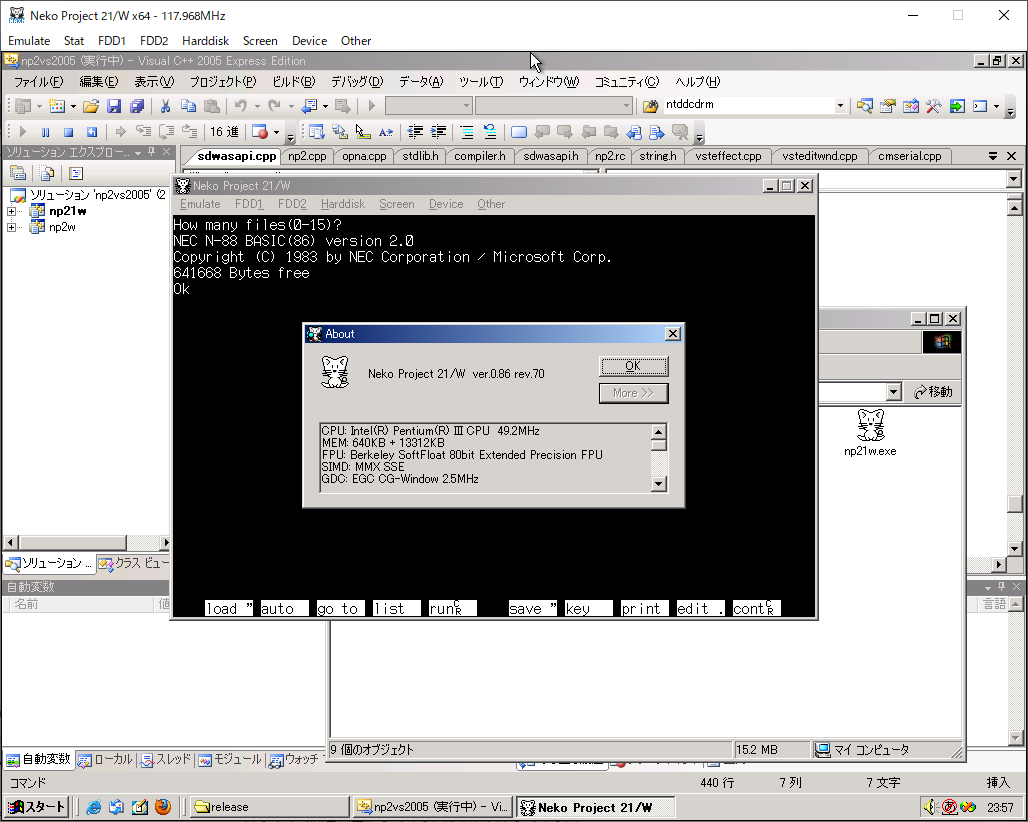
*Please note that save state/resume compatibility may be lost during version updates.
* *If this is your first time using this feature, please also see the notes at the bottom of the page.*
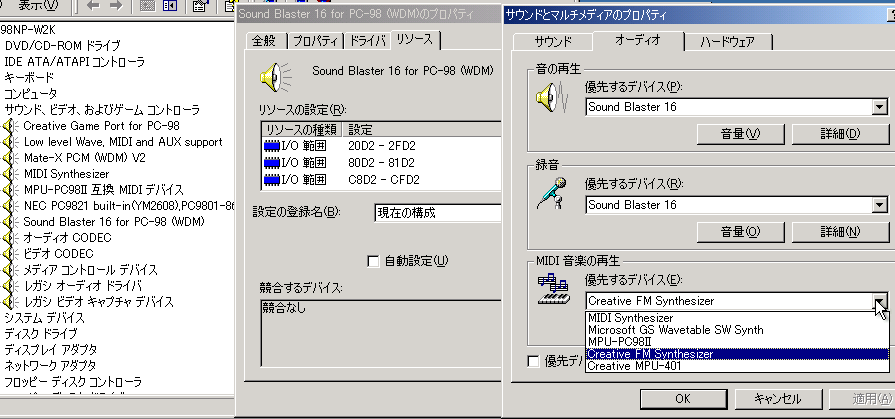
It can be used not only with emulators but also with actual hardware.
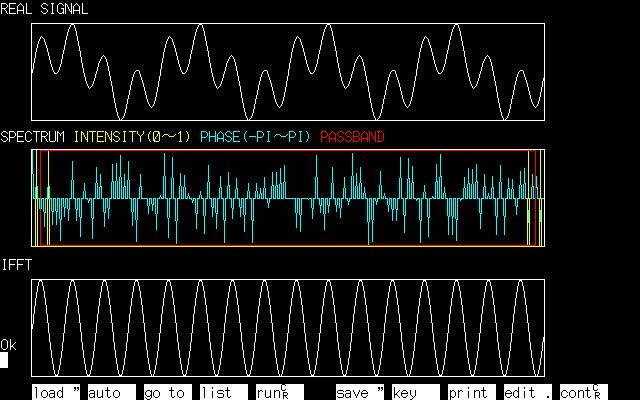
This is a program that performs a Fast Fourier Transform in N88-BASIC. It's not particularly fast, but it runs without machine code.
This is essentially a port of the following C language source code, so I do not claim any rights. You are free to use it without restriction.
That said, I don't think there's much point in doing anything with BASIC anymore...
Source: Outline and Design Method of FFT (Fast Fourier Cosine Sine Transform)
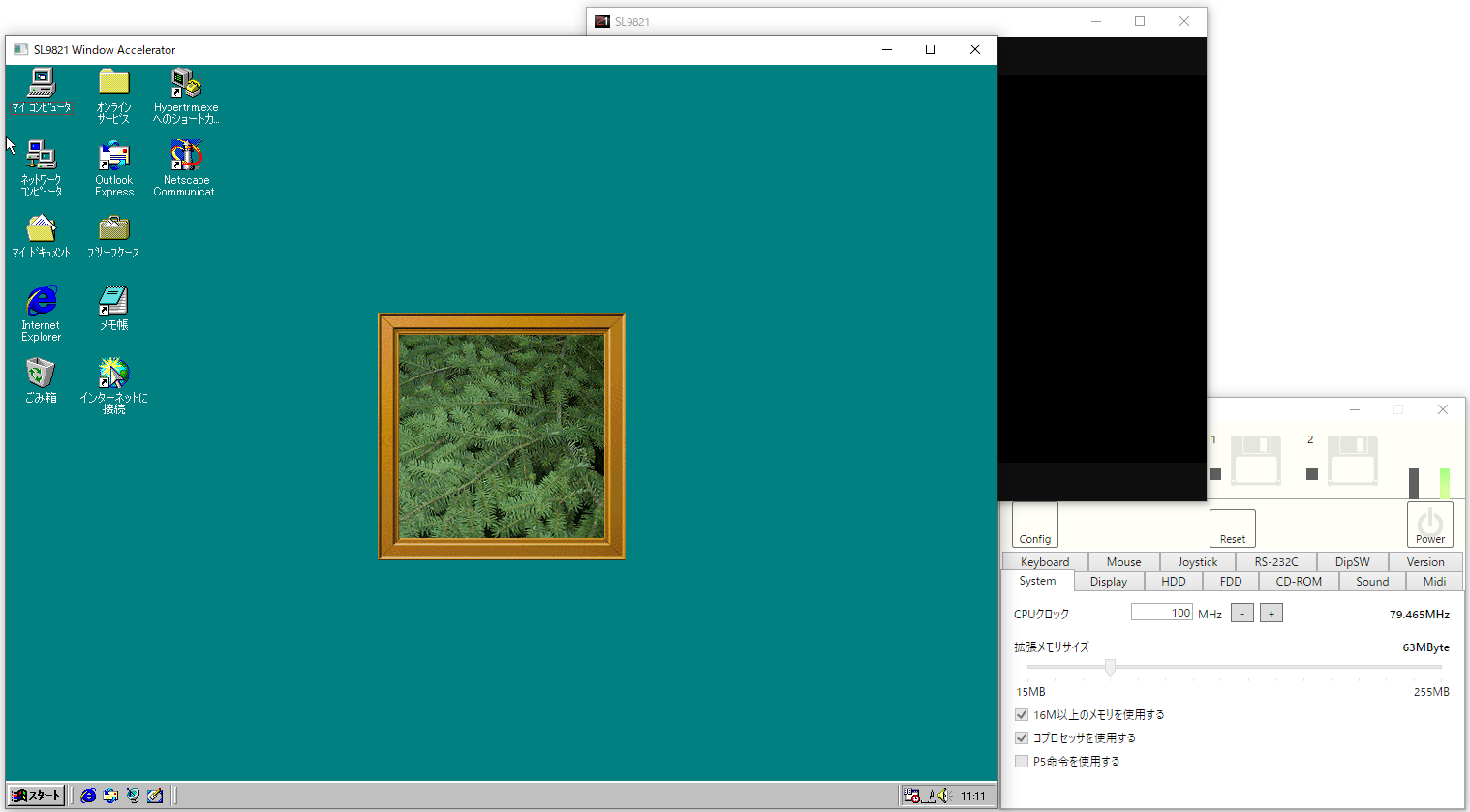
SL9821にNeko Project 21/WのLGY-98とCL-GD5430を無理やりくっつけてみた試作品です。
バージョンがかなり古いので注意。
どのカテゴリにも属さない雑多なプログラムです。
本家Neko Project IIと同じく、Neko Project 21/WもBIOSがなくてもそれなりに動くように作られています。
BIOSがない場合の制限事項は以下の通りです。逆に言えばこれ以外の制限はほぼありません。
なお、ITF.ROMは必要ありません(使用しません)。他、IDE.ROM等は非推奨のため用意する必要はありません。
機種依存系のフラグは全てNeko Project 21/Wが修正しますので、よほど特殊でない限りはどんな機種から取ってきても問題ないはずです。
Neko Project 21/Wのメモリマップはやや特殊ですので、UMBの設定の際はご注意下さい。 実機でチューニングしたものを持ってきてもそのままでは動かないと思います。
手動で設定するのが面倒な場合はHIMEM+EMM386やLEMMにしておけば自動でそれなりに設定してくれます。
| 使用機器 | アドレス | 備考 |
|---|---|---|
| SASI | D0000h~D0FFFh | SASI互換HDDをIDE#0, IDE#1に接続した場合のみ使用されます |
| SCSI | D2000h~D5FFFh | SCSIを使用していない場合は空きになります |
| IDE | D8000h~DBFFFh | rev69以降のエミュレーションIDE BIOSでは使用されません(実機IDE BIOS使用時のみ占有)。非公開機能で変更可能(付属ヘルプ参照のこと) |
NVL.DLLを用意するとNeko Project 21/Wで追加のディスクイメージが読めるようになります。NVL.DLLについては「Neko Project 21/W(np21w, ねこープロジェクト21/W)用のVirtualPC等イメージ使用ライブラリ」から入手してください(ディスクイメージエディタのNDと同じサイトです)。ページにはビルド手順が書かれていますが、現在のバージョンでは既に取り込まれていますので変更用ファイルの中のNVL.DLLだけを用意すればOKです。
NVL.DLLはNeko Project 21/Wのexeと同じ場所に置いてください。 NVL.DLLには32bit版と64bit版がありますので、np21w.exeなら32bit版を、np21x64w.exeならx64フォルダ内の64bit版を使用してください。
追加サポートされる主要なイメージ形式は以下の通りです。
Neko Project 21/Wの大半のコードは修正BSDライセンスですが、以下のファイルは移植のためライセンスが異なっています。これらを含めてコンパイルすると全体としてのライセンスが変わりますのでご注意ください。 バージョンによってライセンスが異なる場合がありますので、必ずそのバージョンに該当する表を参照してください。
| ファイル | ライセンス | 除外方法 |
|---|---|---|
| /sound/fmgen/*.* | Readme参照 原則商用不可 |
SUPPORT_FMGENをプリプロセッサ定義から削除し、/sound/fmgen/*.*を除外する |
| 以下のファイルは標準構成では除外されています(ビルド対象に含まれない) | ||
| fpemul_dosbox.c fpemul_dosbox2.c |
GPLv2 | 【標準で除外】使用する場合はSUPPORT_FPU_DOSBOXとSUPPORT_FPU_DOSBOX2を定義する。 |
| /sound/mame/*.* | GPLv2 | 【標準で除外】使用する場合はUSE_MAMEを定義し、USE_MAME_BSDを定義しないようにする。 |
| fpu/softfloat/*.* | Readme参照 修正BSD風味 |
【標準で除外】使用する場合はSUPPORT_FPU_SOFTFLOAT3の代わりにSUPPORT_FPU_SOFTFLOATを定義する。 |
| /wab/tgui9680*.* | GPLv2 | 【標準で除外】そもそも未使用なのでバイナリに影響なし。 |
| ファイル | ライセンス | 除外方法 |
|---|---|---|
| cirrus_vga*.* vga_int.h lgy98*.* |
MIT | SUPPORT_CL_GD5430とSUPPORT_LGY98をプリプロセッサ定義から削除する |
| fpemul_dosbox.c fpemul_dosbox2.c |
GPLv2 | SUPPORT_FPU_DOSBOXとSUPPORT_FPU_DOSBOX2をプリプロセッサ定義から削除し、fpemul_dosbox.c, fpemul_dosbox2.cをコンパイルから除外する |
| fpemul_softfloat.c | 修正BSD | 本体と同じライセンスになりました。 |
| fpu/softfloat/*.* | Readme参照 修正BSD風味 |
Remove SUPPORT_FPU_SOFTFLOAT from the preprocessor definitions and exclude fpemul_softfloat.c and softfloat/*.*. If you want to use the modified BSD version of SoftFloat, define SUPPORT_FPU_SOFTFLOAT3. |
| fpemul_softfloat3.cpp fpu/softfloat3/*.* |
Modified BSD | This is a replacement for the proprietary SoftFloat license. |
| /sound/fmgen/*.* | Readme reference principle No commercial use |
Remove SUPPORT_FMGEN from the preprocessor definitions and exclude /sound/fmgen/*.* |
| /sound/mame/*.* | GPLv2 | Remove /sound/mame/*.* and use /sound/mamebsd/*.* instead. If you do not use MAME at all, remove SUPPORT_MAME from the preprocessor definitions. |
| /sound/mamebsd/*.* | Modified BSD | This is a replacement for the GPLv2 version of MAME. |
| /cbus/ct1741io.c | Modified BSD | It now has the same license as the main unit. |
| /wab/gui9680*.* | GPLv2 | Since it's unused, it won't affect the binary. It's okay to delete it. |
| file | license | Exclusion method |
|---|---|---|
| cirrus_vga*.* vga_int.h lgy98*.* |
MIT | Remove SUPPORT_CL_GD5430 and SUPPORT_LGY98 from the preprocessor definitions. |
| fpemul_dosbox.c fpemul_dosbox2.c |
GPLv2 | Remove SUPPORT_FPU_DOSBOX and SUPPORT_FPU_DOSBOX2 from the preprocessor definitions, and exclude fpemul_dosbox.c and fpemul_dosbox2.c from compilation. |
| fpemul_softfloat.c | Modified BSD | Remove SUPPORT_FPU_SOFTFLOAT from the preprocessor definitions and exclude fpemul_softfloat.c and softfloat/*.*. |
| fpu/softfloat/*.* | See Readme for corrected BSD-style modifications. |
Remove SUPPORT_FPU_SOFTFLOAT from the preprocessor definitions and exclude fpemul_softfloat.c and softfloat/*.*. |
| /sound/fmgen/*.* | Readme reference principle No commercial use |
Remove SUPPORT_FMGEN from the preprocessor definitions and exclude /sound/fmgen/*.* |
| /sound/mame/*.* | GPLv2 | Remove USE_MAME from the preprocessor definitions and exclude /sound/mame/*.* |
| /cbus/ct1741io.c | GPLv2 | Remove SUPPORT_SOUND_SB16 from the preprocessor definitions and exclude /cbus/ct1741io.c, or manually delete the DSP-related code. |
| /wab/tgui9680*.* | GPLv2 | Since it's unused, it won't affect the binary. It's okay to delete it. |
| file | license | Exclusion method |
|---|---|---|
| cirrus_vga*.* vga_int.h lgy98*.* |
MIT | Remove SUPPORT_CL_GD5430 and SUPPORT_LGY98 from the preprocessor definitions. |
| fpemul_dosbox.c fpemul_dosbox2.c fpemul_softfloat.c |
GPLv2 | Remove SUPPORT_FPU_SOFTFLOAT, SUPPORT_FPU_DOSBOX, and SUPPORT_FPU_DOSBOX2 from the preprocessor definitions, and exclude fpemul_dosbox.c, fpemul_dosbox2.c, and fpemul_softfloat.c from compilation (Berkeley SoftFloat is originally under a different license, but fpemul_softfloat.c is under the GPL because it contains code derived from DOSBox). |
| fpu/softfloat/*.* | See Readme | Remove SUPPORT_FPU_SOFTFLOAT from the preprocessor definitions and exclude softfloat/*.*. |
| /sound/fmgen/*.* | Readme reference principle No commercial use |
Remove SUPPORT_FMGEN from the preprocessor definitions and exclude /sound/fmgen/*.* |
| /sound/mame/*.* | GPLv2 | Remove USE_MAME from the preprocessor definitions and exclude /sound/mame/*.* |
| /cbus/ct1741io.c | GPLv2 | Remove SUPPORT_SOUND_SB16 from the preprocessor definitions and exclude /cbus/ct1741io.c, or manually delete the DSP-related code. |
| /wab/tgui9680*.* | GPLv2 | Since it's unused, it won't affect the binary. It's okay to delete it. |
Only the Visual Studio projects win9x\np2vs2010.sln and win9x\np2vs2019.sln are maintained. Also, while recent versions are intended to allow Debug builds, this is not guaranteed. Basically, only Release builds are supported. If you want to run a Debug build, you will need to appropriately transfer the Release build settings.
In a Release build, you cannot inspect the contents of variables using the debugger, but you can do so by disabling optimization for the file whose variables you want to inspect. If you want to avoid this hassle, you can disable optimization for the entire project, but be aware that this will significantly degrade performance.
The code includes a global key hook using SetWindowsHookEx, which will cause the debugger to freeze for a few seconds if you press a key while it's stopped. To avoid this, remove HOOK_SYSKEY from the preprocessor definitions.
The VST 2 SDK is required for building. It is also included in older VST 3 SDKs. If you do not need VST, comment out #define SUPPORT_VSTi in win9x\compiler.h.
Adding USETHOOK=true to the [NekoProject21] (or [NekoProjectII]) section of the INI file enables the text hook functionality. Disable it when not in use as it can negatively impact performance.
Specifically, when reading 2-byte characters, you call lstrlenW, lstrlenA, and CharNextA so that the hook program can capture them. However, these functions are called in other places as well. You'll need to actually print the string to find the correct function to hook.
If you use the Textractor software, you may need to use something called H-code.
/HS4@0:kernel32.dll:lstrlenA
/HQ4@0:kernel32.dll:lstrlenW